> For the complete documentation index, see [llms.txt](https://maiga.gitbook.io/docs/llms.txt). Markdown versions of documentation pages are available by appending `.md` to page URLs; this page is available as [Markdown](https://maiga.gitbook.io/docs/maiga-tech/maigaxbt-ai-agent-features/trending-token.md).
# Trending Token
#### TL;DR
Trending Token = high-signal market heatmaps in one click.\
Powered by Elfa AI + enhanced by MaigaXBT’s trading intelligence.
Perfect for:
* Spotting hype early
* Understanding why a token is moving
* Making faster, smarter trading decisions
Your edge starts with knowing what’s trending — and why.
#### Feature Overview
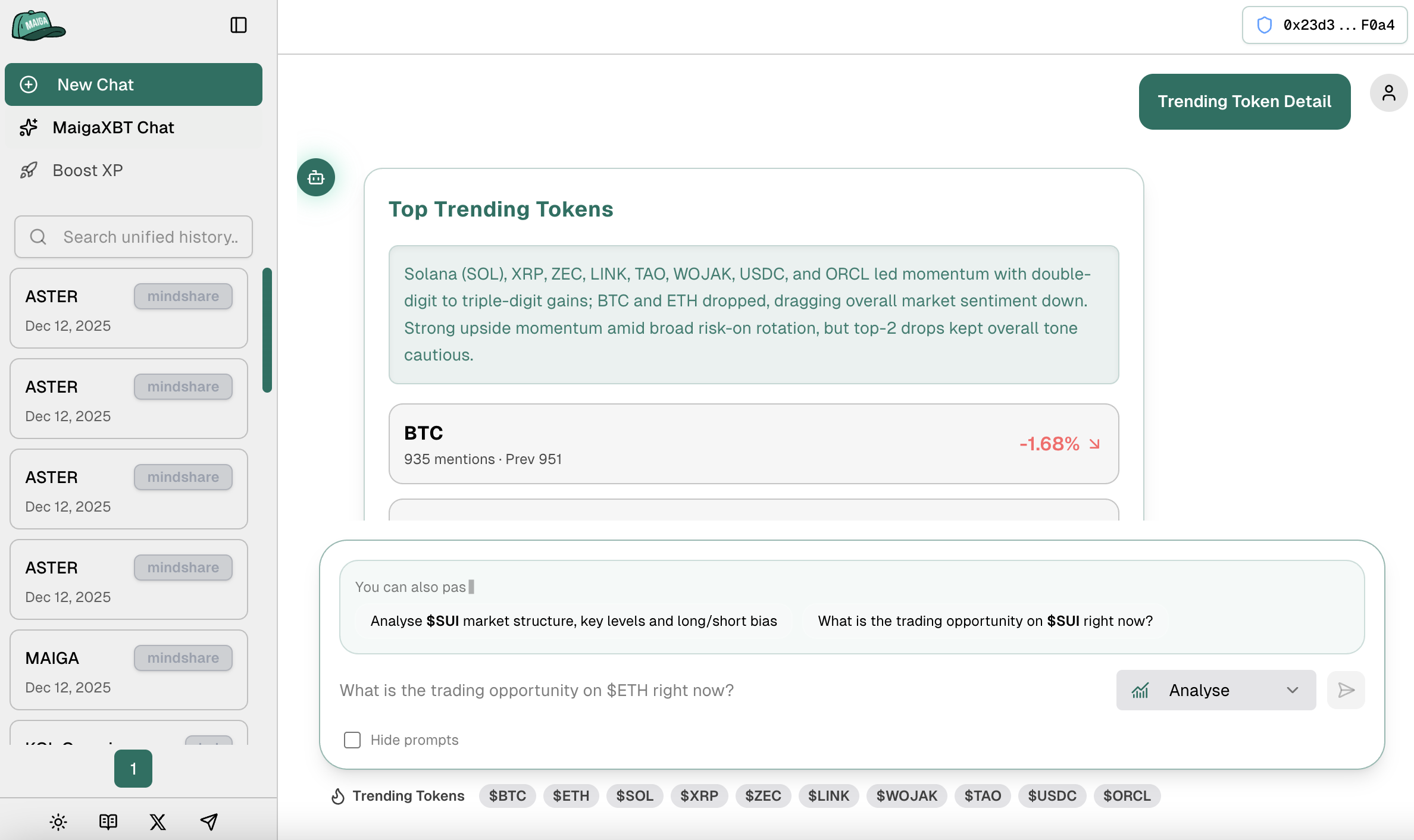
Trending Token shows the top tokens currently gaining attention across the market.
Elfa AI identifies what is trending, and MaigaXBT provides a quick analysis explaining why the token is trending.
This feature gives traders an instant read on market momentum and emerging narratives.
#### What You Get
1\. Token Snapshot
* Name, symbol, contract
* Chain
* Scan link
2\. Market Stats
* Price
* Market Cap
* Volume
* FDV
3\. Sentiment Signals
* Bullish vs bearish mood
* Strength of social buzz
* Momentum direction
4\. AI Summary – a short explanation of:
* Why the token is trending
* What recently changed
* Opportunities or risks to be aware of
#### Supported Chains
* Ethereum
* BNB Chain
* Base
* Solana
* Sui
(More coming soon.)
#### How It Works
\
Step 1 — Elfa AI scans social, on-chain, sentiment, and volume signals to generate a trend score.
Step 2 — MaigaXBT analyzes top-ranked tokens to provide context and insights.
Step 3 — Users receive a clean, actionable snapshot with quick paths to deeper analysis.
#### Why Use Trending Token
* Spot early momentum before it becomes mainstream
* Identify hype cycles with real context
* Filter noise and avoid blind FOMO
* Build a complete workflow:\
Trending Token → Token Info → Analyse → Mindshare
#### Use-Case Examples
1.Alice hears chatter about a token
She checks Trending Token → sees it ranked → reads the AI summary → understands the reason behind the hype before making a move.
2.Ben reviews trends every morning
Trending Token gives him a fast list of tokens with real momentum → he drills into Analyse for short-term prediction → trades with context.
3.Clara hunts early narratives
Trending Token highlights new ecosystem tokens early → she verifies safety via Token Info → enters ahead of CT.